> For the complete documentation index, see [llms.txt](https://coldbox.ortusbooks.com/llms.txt). Markdown versions of documentation pages are available by appending `.md` to page URLs; this page is available as [Markdown](https://coldbox.ortusbooks.com/the-basics/testing-quick-start/browser-testing/authentication.md).
# Authentication
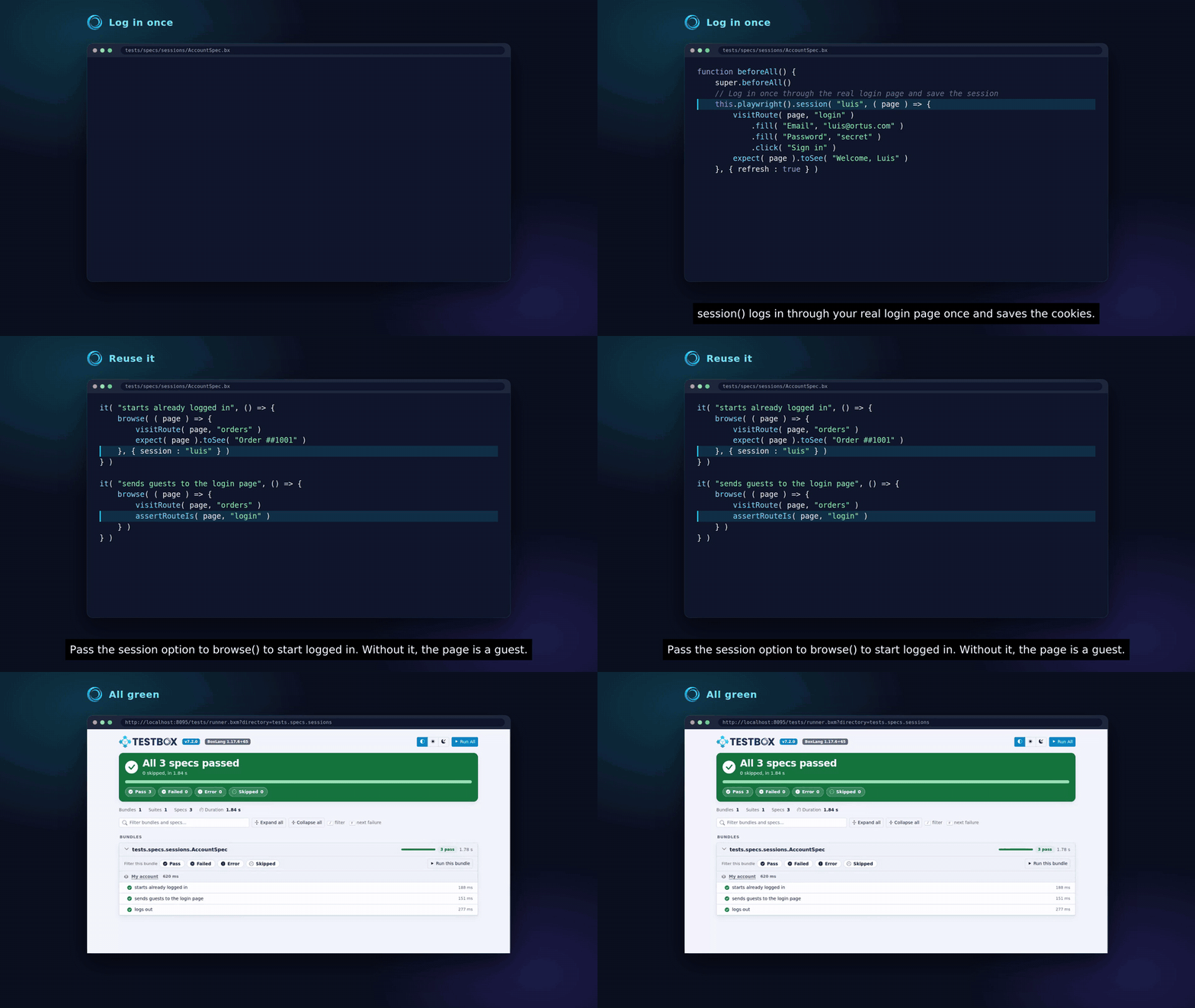
Test pages behind a login with bx-playwright saved sessions: log in through your real login page once, then reuse the session in every spec.
Most journeys worth testing happen behind a login. Filling the login form in every spec is slow, so log in **once** through your real login page, save the browser session (cookies and local storage), and start every spec that needs it already logged in. This is a feature of bx-playwright called **saved sessions**.
There are no test-only login endpoints and nothing to enable in your application: the browser logs in exactly like a user does, so your application ships no backdoor.
Log in once with a saved session and reuse it in every spec
```javascript
@appMapping( "/root" )
@browser
@baseURL( "http://127.0.0.1:8080" )
class extends="coldbox.system.testing.BaseTestCase" {
function beforeAll() {
super.beforeAll()
// Log in once through the login page and save the session as "admin"
this.playwright().session( "admin", ( page ) => {
visitRoute( page, "login" )
.fill( "Email", "admin@example.com" )
.fill( "Password", getSystemSetting( "TEST_ADMIN_PASSWORD" ) )
.click( "Sign in" )
expect( page ).toSee( "Dashboard" )
} )
}
function run() {
describe( "Users", () => {
it( "lets an admin edit a user", () => {
// Every page of this browse() call starts logged in as admin
browse( ( page ) => {
visitRoute( page, "users.edit", { id : 5 } )
expect( page ).toSee( "Edit User" )
}, { session : "admin" } )
} )
it( "sends guests to the login page", () => {
// Without a session, pages start logged out
browse( ( page ) => {
visitRoute( page, "users.edit", { id : 5 } )
assertRouteIs( page, "login" )
} )
} )
} )
}
}
```
## How It Works
```mermaid
sequenceDiagram
participant Spec as Browser spec
participant Setup as Setup page
participant App as Running ColdBox app
participant Page as Spec page
Spec->>Setup: this.playwright().session( "admin", setup )
Setup->>App: GET /login, POST credentials
App-->>Setup: session cookie
Setup-->>Spec: cookies and storage saved as "admin"
Spec->>Page: browse( ..., { session : "admin" } )
Page->>App: GET /users/5/edit (with the saved cookie)
```
1. `this.playwright().session( name, setup )` opens a fresh page and runs your `setup` closure, which logs in through your login page like a user would.
2. bx-playwright saves the cookies and local storage of that page under the session name.
3. `browse( callback, { session : name } )` starts every page of the call with that saved state, so it is already logged in. Pages of a `browse()` call without the option start logged out, and each page has its own cookies.
Sessions are stored in the bx-playwright home directory (`{home}/sessions`), **outside your project**, because they hold cookies. Never commit them.
## Reusing and Refreshing Sessions
`session()` creates the session the first time and **reuses** it afterwards, so the login runs once per session and not once per spec. Its third argument controls when it logs in again:
| Option | Default | Description |
| --------- | ------- | -------------------------------------------------------------------------------------------------- |
| `maxAge` | `0` | Minutes before a saved session is considered stale and recreated. `0` never expires |
| `refresh` | `false` | `true` always runs the setup again, for example in `beforeAll()` of a suite that changes passwords |
| `context` | `{}` | Context options for the setup page, such as a `viewport` or `locale` |
```javascript
// Always log in again for this bundle
this.playwright().session( "admin", ( page ) => { ... }, { refresh : true } )
```
Your application session also expires on the server. By default a saved session never expires, so set `maxAge` below your session timeout, or use `refresh : true`.
## Several Users
Create one session per role, then pick one per `browse()` call:
```javascript
function beforeAll() {
super.beforeAll()
this.playwright().session( "admin", ( page ) => logIn( page, "admin@example.com" ) )
this.playwright().session( "editor", ( page ) => logIn( page, "editor@example.com" ) )
}
private function logIn( required page, required string email ) {
visitRoute( arguments.page, "login" )
.fill( "Email", arguments.email )
.fill( "Password", getSystemSetting( "TEST_USER_PASSWORD" ) )
.click( "Sign in" )
}
```
Every page of a `browse()` call gets the session you pass, and has its own cookies. A page that logs in by hand inside the call does not change the other pages.
## Test Users and Passwords
The setup logs in through your real login page, so it needs a real account in the database of the application under test:
* Seed your test users as part of preparing the test database, the same way your integration tests do.
* Read passwords from environment variables or CI secrets, never from source control.
* Use dedicated test accounts, and never run browser tests with credentials of real users.
## Logging Out
Test your logout like any other page: click the link or button your users click, then assert where it leads.
```javascript
browse( ( page ) => {
visitRoute( page, "dashboard" )
page.click( "Log out" )
assertRouteIs( page, "login" )
}, { session : "admin" } )
```
A page that logs out only affects its own cookies: the saved session stays valid for the next specs, unless your application invalidates sessions on the server when a user logs out. Then log out with a page that does not use the shared session, or recreate the session with `refresh : true`.
## See Also
* [Named Routes](/the-basics/testing-quick-start/browser-testing/named-routes.md)
* [Troubleshooting](/the-basics/testing-quick-start/browser-testing/troubleshooting.md)
* [bx-playwright Network & Saved Sessions](https://bxplaywright.boxlang.io/network/)
---
# Agent Instructions
This documentation is published with GitBook. GitBook is the documentation platform designed so that both humans and AI agents can read, navigate, and reason over technical content effectively. Learn more at gitbook.com.
## Querying This Documentation
If you need additional information that is not directly available in this page, you can query the documentation by asking a question.
Perform an HTTP GET request on the following URL with the `ask` and `goal` query parameters:
```
GET https://coldbox.ortusbooks.com/the-basics/testing-quick-start/browser-testing/authentication.md?ask=&goal=
```
`ask` is the immediate question: it should be specific, self-contained, and written in natural language.
`goal` is what the user is ultimately trying to achieve, the reason they need the answer. Sharing it helps GitBook give you a better, more relevant answer. A goal is most helpful when it describes the outcome the user wants rather than restating the question. For example, with `ask=how do I create an API token`, a goal like `automate deployments from our CI pipeline` lets GitBook tailor the answer to that use case.
The response will contain a direct answer to the question and relevant excerpts and sources from the documentation.
Use this mechanism when the answer is not explicitly present in the current page, you need clarification or additional context, or you want to retrieve related documentation sections.